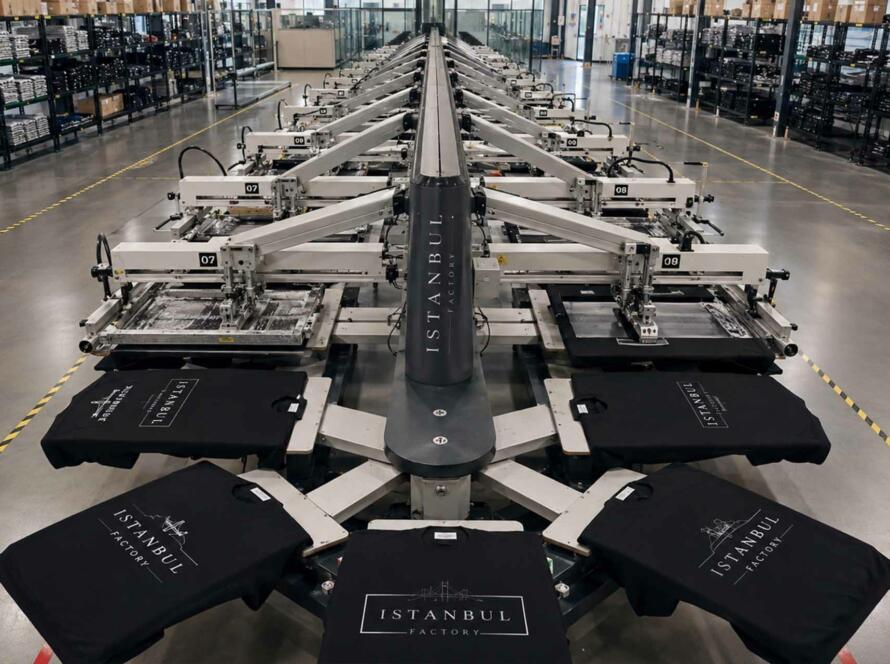


A great print result starts long before ink touches fabric.
For clothing brands, one of the most common causes of production delays is incomplete, incorrectly prepared, or unclear artwork. A design may look perfect on a laptop screen but still create problems during screen printing, DTF, DTG, or other garment decoration processes.
Correct print artwork requirements give the manufacturer enough information to reproduce the design accurately and consistently.
That means supplying the right file format, correct dimensions, defined colors, clear placement measurements, and an approved visual reference before bulk production begins.
This guide explains what fashion brands should prepare before sending artwork to a clothing manufacturer.
Print Artwork Requirements at a Glance
For most clothing production projects, a complete print artwork package should include:
- A vector file whenever possible
- A high-resolution raster file when vector artwork is unavailable
- Exact print dimensions
- Pantone references where color accuracy matters
- Clear placement measurements
- An approved artwork scale
- A garment mockup showing intended appearance
- Any special printing instructions
- Approval of the final strike-off or production sample
Supplying these details early reduces misunderstandings and helps the manufacturer prepare screens, films, transfers, print files, or production settings correctly.
Vector vs Raster Artwork: What Is the Difference?
One of the first questions in artwork preparation is whether the design is vector-based or raster-based.
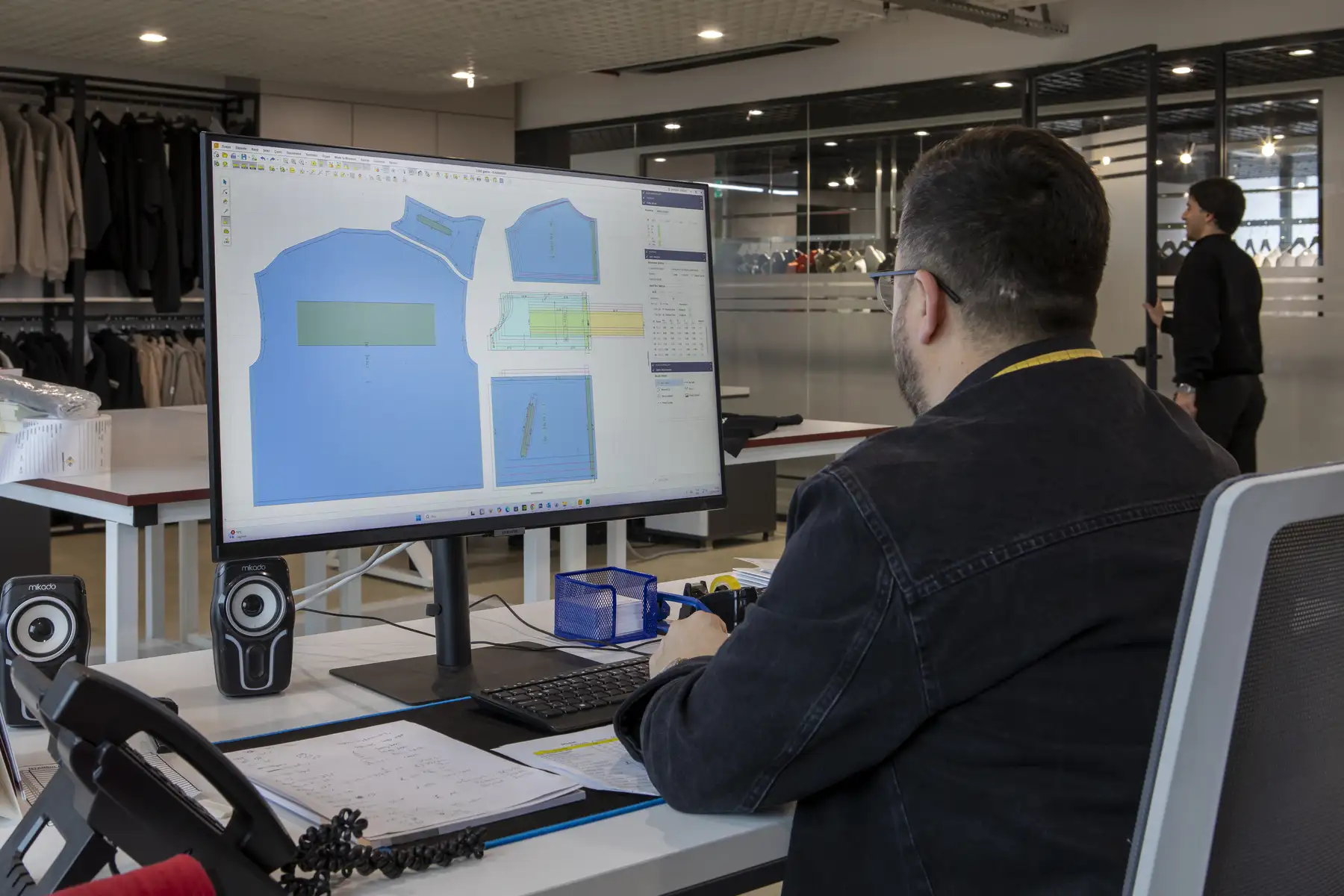
Vector Artwork
Vector graphics are created from mathematical paths rather than individual pixels.
Common vector file formats include:
- Adobe Illustrator (.AI)
- EPS (.EPS)
- Vector PDF (.PDF)
Vector artwork can usually be enlarged or reduced without losing sharpness.
This makes it especially suitable for:
- Logos
- Typography
- Line graphics
- Illustrations
- Screen-print designs
- Simple brand graphics
For example, if a chest logo needs to change from 8 cm wide to 24 cm wide, a properly prepared vector file can usually be resized without becoming blurry.
Whenever possible, Istanbul Factory recommends supplying original vector artwork rather than a screenshot or exported image.
Raster Artwork
Raster images are made from pixels.
Typical raster formats include:
- PNG
- JPEG
- TIFF
- PSD
Raster artwork can work perfectly well for detailed graphics, photographic prints, distressed textures, or designs created specifically for DTG or DTF printing.
However, raster files have a fixed resolution.
If a small image is enlarged too much, the individual pixels become visible and the final print may look soft or blurred.
Which Artwork File Formats Should You Send?
There is no single file type suitable for every decoration technique, but several formats are commonly used in professional clothing production.
AI Files
Adobe Illustrator files are often preferred for vector artwork.
They preserve editable paths, colors, and design elements and are particularly useful for screen printing, logos, and graphic artwork.
Before sending an AI file, brands should normally:
- Convert fonts to outlines
- Embed linked images
- Remove unnecessary hidden layers
- Check the document color settings
- Confirm the final artwork size
Converting fonts to outlines avoids problems when the manufacturer does not have the same font installed.
EPS Files
EPS is another widely used vector format.
It works well for logos, illustrations, lettering, and screen-print separations.
Like AI files, EPS artwork should contain clean vector paths and outlined fonts wherever possible.
PDF Files
PDF can be an excellent production format when exported correctly.
A PDF may contain either vector or raster information, so simply sending a PDF does not automatically mean the artwork is production-ready.
The manufacturer should still be able to confirm:
- Whether elements are vector
- Whether images are embedded
- Whether fonts are outlined
- Whether colors are defined correctly
- Whether the artwork is shown at the correct scale
PNG Files
PNG files are commonly used for raster artwork, especially graphics with transparent backgrounds.
They can be useful for:
- DTG
- DTF
- Digital transfers
- Detailed full-color artwork
However, the file must have enough resolution at the actual intended print size.
A small PNG downloaded from a website is rarely suitable for large garment printing.
What Resolution Is Required for Garment Printing?
For raster artwork, resolution should always be evaluated at the final physical print size.
As a practical guideline, 300 DPI at the intended print dimensions is commonly preferred for high-quality raster artwork.
For example:
If your artwork will be printed at 30 cm wide, the image should have enough pixels to maintain suitable resolution at 30 cm—not only when displayed at a smaller size.
Simply changing a 72 DPI file to 300 DPI does not create additional image detail.
The original artwork must contain enough pixel information.
This is why sending the largest original source file is usually better than sending an image copied from Instagram, WhatsApp, a website, or a compressed presentation.
How Should Print Colors Be Specified?
Color is one of the most important parts of professional print production.
A color displayed on a monitor is not automatically the same color that will appear in ink on fabric.
Screens use RGB light, while physical garment printing uses inks, pigments, and physical materials.
Use Pantone Colors When Accuracy Matters
For logos, corporate colors, streetwear graphics, and other designs where color consistency is important, brands should provide Pantone references whenever possible.
For example:
- Pantone Black C
- Pantone 186 C
- Pantone 7545 C
Pantone references give the print department a defined target rather than asking them to visually interpret colors from a screen.
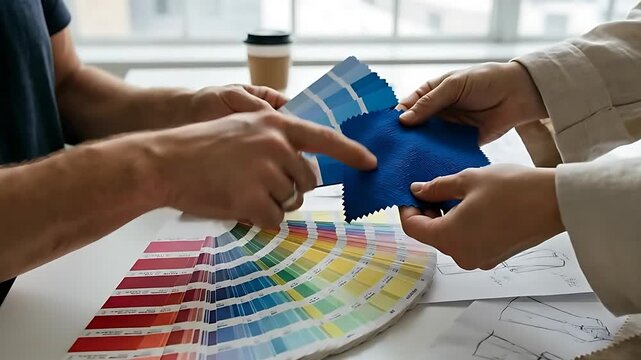
However, brands should also understand that the final appearance can be influenced by:
- Fabric color
- Fabric composition
- Ink type
- Underbase
- Print technique
- Curing
- Fabric surface
- Print opacity
A Pantone number is therefore an essential production reference, but the final garment should still be checked through sampling or a strike-off.
Define the Exact Print Dimensions
Never rely only on a mockup to communicate print size.
A mockup shows the intended visual effect, but production also requires measurable dimensions.
For example:
Front print: 28 cm wide × proportional height
or
Chest logo: 9 cm wide
or
Back graphic: 32 × 40 cm
The dimensions should clearly indicate whether the design must maintain its original proportions.
If artwork is supplied at 100% production scale, state this clearly.
For example:
Artwork supplied at 1:1 scale — print width 30 cm.
This removes unnecessary interpretation during pre-production.
How to Specify Print Placement
Print placement should also be defined with measurements rather than descriptions alone.
Instructions such as:
“Place it around the upper chest.”
are open to interpretation.
A better production instruction would be:
“Center front, top of print 7 cm below the neckline seam.”
For a left-chest logo, you might specify:
“Logo width 8 cm, positioned 9 cm below shoulder seam and 8 cm from center front.”
Useful reference points include:
- Center front
- Center back
- Neck seam
- Shoulder seam
- Side seam
- Sleeve seam
- Hem
The exact reference point depends on the garment construction.
Consider Garment Size When Defining Placement
Artwork placement can behave differently across garment sizes.
A print positioned perfectly on a size M hoodie may appear too high, too low, or proportionally too small on an XXL garment.
Brands should therefore discuss whether they want:
- One print size across all garment sizes
- Different artwork sizes by size range
- Fixed placement measurements
- Proportionally adjusted placements
For many streetwear products, one graphic size is intentionally used across multiple garment sizes.
For other collections, especially premium fashion products, scaled artwork may provide a more balanced result.
These decisions should be made before production rather than during printing.
Artwork Scale Must Be Clear
Artwork files are sometimes supplied at reduced scale, especially when designs are very large.
That is acceptable as long as the scale is clearly identified.
For example:
Artwork shown at 50% scale. Final print width: 60 cm.
Without this instruction, the manufacturer may reasonably assume the artwork is already prepared at production size.
When possible, supplying artwork at 100% scale is the simplest approach.
Why Print Mockups Are Important
A print mockup is a visual guide showing how the artwork should appear on the garment.
It helps communicate:
- General size
- Position
- Orientation
- Relationship to seams
- Front or back location
- Sleeve placement
- Overall design intention
Mockups are extremely useful, but they should not replace technical measurements.
Think of the mockup as the visual reference and the measurement sheet as the production instruction.
Both should agree with each other.
If the mockup shows a large oversized back print but the specification says the artwork is 15 cm wide, production should stop until the discrepancy is clarified.
What Is a Print Strike-Off?
A strike-off is a print test produced before bulk garment printing.
Depending on the production method and project, it may be printed on:
- The actual production fabric
- A representative fabric
- A garment panel
- A sample garment
Strike-offs allow the brand and manufacturer to evaluate the print before committing to bulk production.
They can be used to check:
- Color
- Ink coverage
- Print sharpness
- Graphic detail
- Opacity
- Texture
- Registration
- Print technique
- Overall visual appearance
For complex or color-sensitive designs, a strike-off can prevent expensive mistakes later in production.
Review the Print on the Actual Fabric
Fabric changes how printing behaves.
The same artwork may look different on:
- White cotton jersey
- Black French terry
- Brushed fleece
- Polyester blends
- Heavyweight cotton
- Rib fabric
Dark garments may require a white underbase.
Textured fabrics can reduce fine-detail clarity.
Stretch fabrics may require different inks or production settings.
This is why artwork preparation should never be separated entirely from fabric selection.
A professional manufacturer evaluates the artwork together with the garment material and printing technique.
Final Artwork Approval Before Production
Before bulk printing starts, the final production information should be confirmed.
A practical approval checklist includes:
- Correct artwork version
- Correct file
- Correct print method
- Final dimensions
- Final placement
- Pantone or color references
- Garment color
- Artwork orientation
- Approved mockup
- Approved strike-off or sample where required
After approval, artwork should normally be locked unless a formal revision is requested.
Last-minute artwork changes can affect sampling, screens, transfers, production scheduling, and delivery dates.
Common Artwork Problems That Delay Clothing Production
Several issues appear repeatedly during garment development.
Low-Resolution Artwork
A screenshot or small web image may look acceptable on screen but cannot necessarily produce a sharp garment print.
Missing Fonts
Editable text may display incorrectly when opened on another computer.
Convert important typography to outlines.
Undefined Colors
“Dark red” or “warm beige” is too subjective for accurate production.
Provide Pantone references where color matching matters.
No Final Dimensions
A visual mockup cannot reliably communicate exact print size.
Always provide dimensions.
Unclear Placement
“Front chest” or “approximately centered” leaves room for interpretation.
Use measurable reference points.
Multiple Conflicting Artwork Versions
Files named:
final.ai
final2.ai
final-new.ai
final-approved-v3.ai
can easily create mistakes.
Maintain clear version control and identify the approved production file.
A Practical Artwork Handover Example
A clear artwork specification could look like this:
Garment: Black heavyweight cotton T-shirt
Print method: Screen print
Location: Center back
Artwork file: Vector AI + PDF
Print width: 32 cm
Scale: 100%
Placement: Top edge 6 cm below back neck seam
Colors: Pantone 186 C + Pantone Cool Gray 3 C
Mockup: Attached
Strike-off: Required before bulk approval
This takes only a few lines but gives the production team far more useful information than sending artwork without technical instructions.
Why Manufacturing Coordination Matters
Artwork preparation is part of a larger garment development process.
The print department must coordinate with:
- Fabric sourcing
- Pattern development
- Garment sampling
- Cutting
- Sewing
- Washing
- Quality control
- Packaging
For example, printing a garment before a heavy wash may produce a different result from printing after washing.
Large prints may also interact with seams, pockets, zippers, or garment construction.
Working with an integrated manufacturer helps these details get resolved before they become production problems.
Clothing Printing and Production in Istanbul, Turkey
Turkey has a strong textile and garment manufacturing ecosystem, making Istanbul a practical sourcing location for European and international fashion brands.
Brands can coordinate fabric sourcing, sampling, garment production, printing, embroidery, finishing, and quality control within the same manufacturing network.
For European brands in particular, geographic proximity can also make sample communication and production coordination more practical compared with longer-distance sourcing regions.
The biggest advantage, however, comes from good preparation.
Clear technical files and approvals remain essential regardless of where production takes place.
Prepare Your Artwork for Production with Istanbul Factory
Istanbul Factory supports fashion brands, startups, streetwear labels, and established companies with end-to-end clothing manufacturing in Istanbul.
Our production services include:
- Fabric sourcing
- Garment development
- Sampling
- Custom clothing manufacturing
- Screen printing
- Digital printing
- Embroidery
- Private label production
- Quality control
- Production coordination
If you already have your artwork, send the original design files together with your intended garment, print dimensions, placement, colors, and preferred printing technique.
If some details are still missing, our team can review the production requirements before sampling begins.
Clear artwork preparation makes the entire process faster, easier to approve, and far more predictable.
Frequently Asked Questions
What is the best file format for clothing print artwork?
Vector formats such as AI, EPS, or properly exported vector PDF files are generally preferred for logos, text, and graphic illustrations. High-resolution PNG, TIFF, or PSD files may be suitable for photographic or raster-based designs.
What resolution should artwork be for garment printing?
For raster artwork, 300 DPI at the final intended print size is a common professional target. The required resolution may vary depending on the artwork and printing method.
Do I need Pantone colors for garment printing?
Pantone references are recommended when accurate or repeatable print colors are important. They give the manufacturer a defined physical color target instead of relying on screen appearance.
Should print placement be included in the artwork file?
Placement should be supplied separately or within a technical specification using measurable garment reference points. A mockup is useful, but exact measurements should also be provided.
What is a strike-off in clothing printing?
A strike-off is a test print produced before bulk production. It allows the brand to check color, detail, opacity, print quality, and overall appearance before approving the final print.
Can I send a PNG instead of an AI file?
Yes, depending on the printing technique. A PNG can be suitable for digital printing methods if it has sufficient resolution at the final print size. Vector artwork is usually preferable for logos and scalable graphics.
Should artwork be supplied at full size?
Whenever possible, artwork should be supplied at 100% production scale. If it is supplied at another scale, both the scale percentage and final print dimensions should be clearly stated.
What should I approve before bulk printing starts?
Confirm the final artwork file, print dimensions, placement, colors, garment color, printing technique, mockup, and any required strike-off or pre-production sample before bulk production begins.